
Two-step verification added
A password alone is no longer enough to get into your Usecue CMS account. When you log in from a place we have not seen before, we ask you to prove it is really you. We kept it as painless as possible.
How it works
Log in with your email address and password as always. Then you will see this screen:
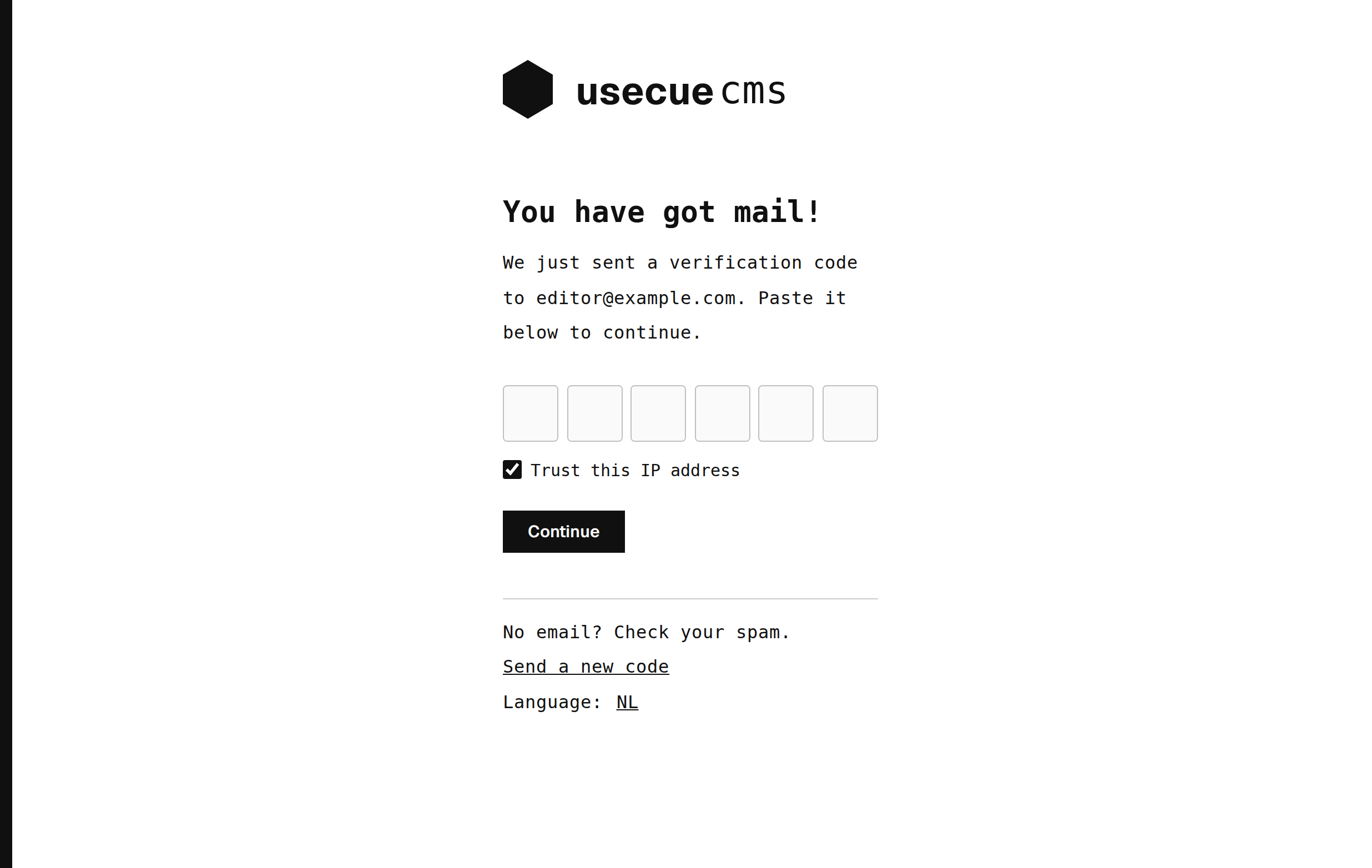
Paste the six-digit code we emailed you and the CMS continues by itself. Leave ‘Trust this IP address’ ticked and we will not ask again from that place. On a shared or public computer, untick it. Passwords get guessed, reused and leaked. Now someone who has yours also needs access to your mailbox. And if you ever receive a code you did not ask for, you know your password is out: change it.
Even safer: an authenticator app
After logging in with an email code, we suggest setting up an authenticator app, like Google Authenticator, Microsoft Authenticator or 1Password.
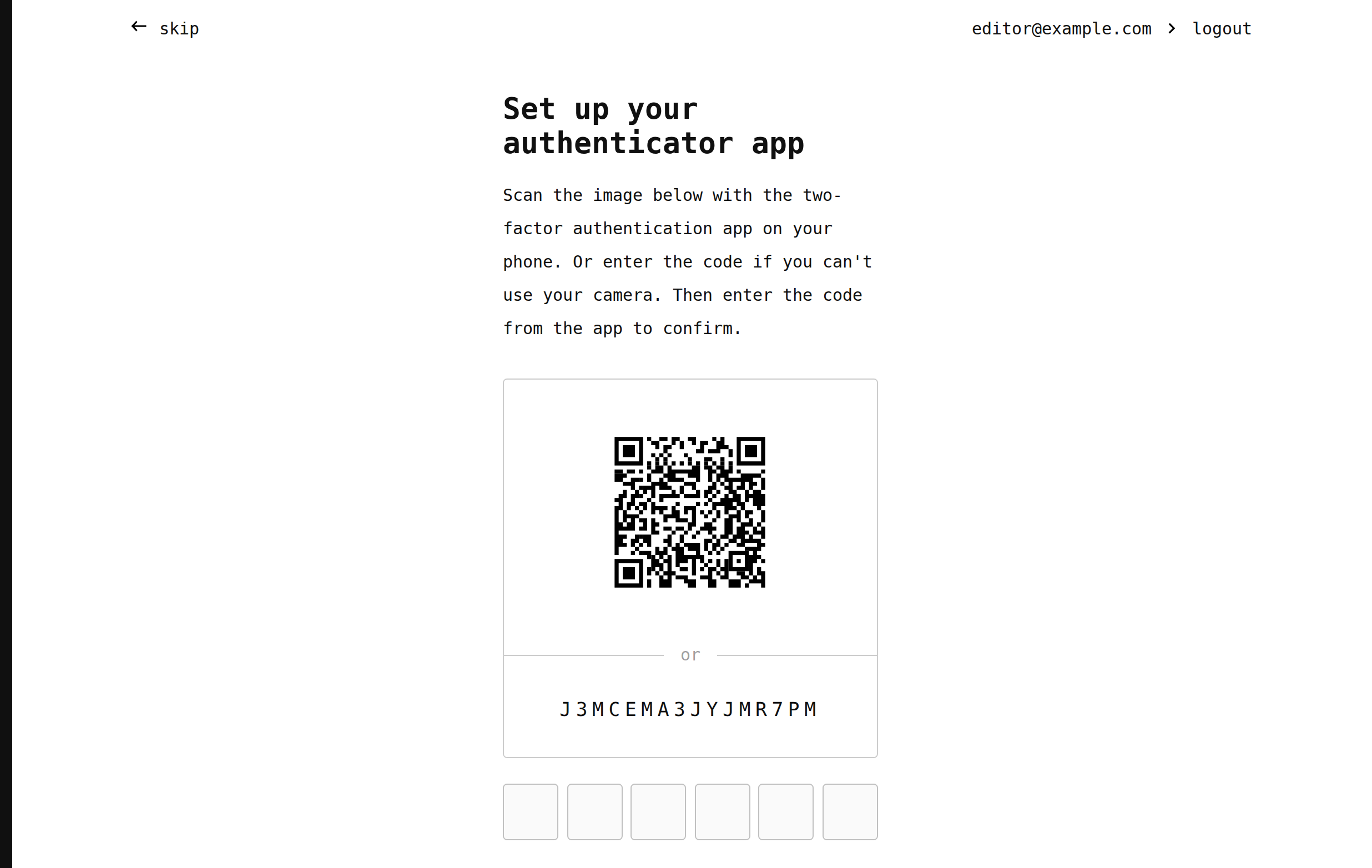
Scan the QR code, type the six digits and you are done. From then on, new places ask for the code from the app instead of your email. Not now? Skip it, and we will ask again next time. To manage your trusted IP addresses or turn the app on or off, click your name in the top right corner and choose ‘security’. Lost your phone? Ask an administrator to reset your authenticator app.
Happy (and safe) editing!
